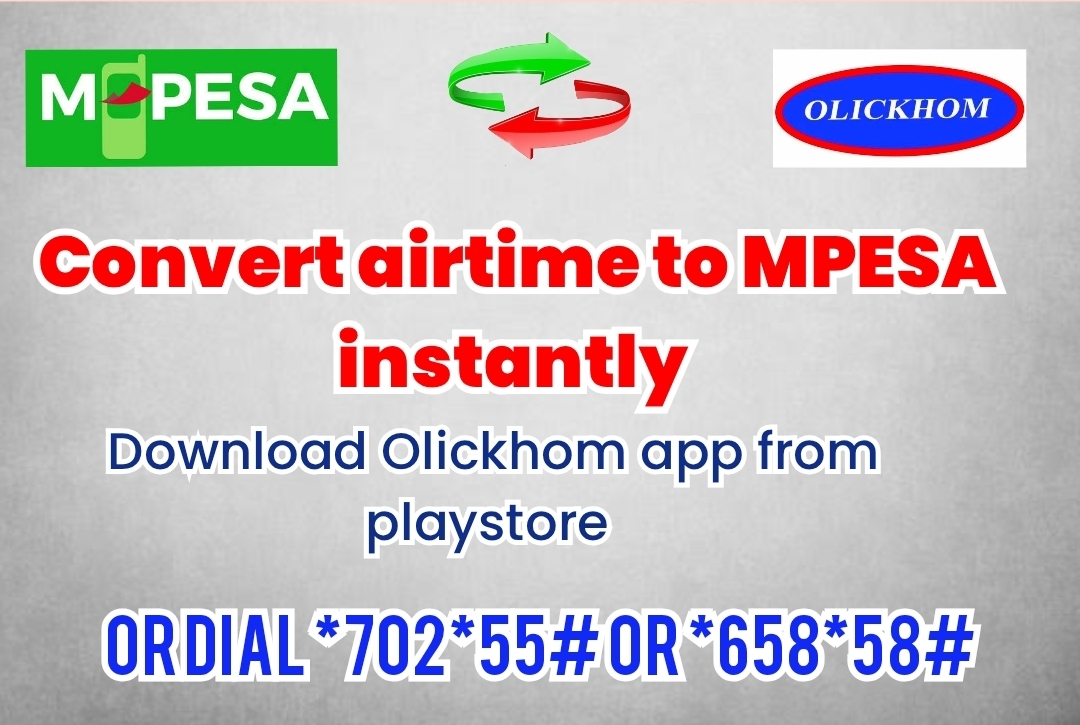
How to Convert Airtime to M-Pesa in Kenya
How to Convert Airtime to M-Pesa in Kenya Using Olickhom
Have you ever bought more airtime than you needed, received airtime when you already had enough, or simply wanted to turn your unused airtime into money you can use through M-Pesa?
If you have extra Safaricom or Airtel airtime, Olickhom provides a way to convert eligible airtime into M-Pesa. You can access the service through the Olickhom app, USSD, or the Olickhom website, giving you different options depending on whether you have a smartphone or prefer using USSD.
Visit Olickhom
What Is Olickhom?
Olickhom is a Kenyan digital service platform that provides several airtime and mobile-money-related services. Among its services is the ability to convert extra airtime into M-Pesa.
According to Olickhom, customers can access airtime-to-M-Pesa conversion through its app, website, or USSD codes. The platform also offers services such as buying airtime, purchasing bundles, agent services, and other digital services. (Olickhom)
How to Convert Airtime to M-Pesa Using Olickhom
There are three convenient ways to access Olickhom's airtime conversion service.
1. Use the Olickhom USSD Code
If you don't have a smartphone or prefer not to use an app, you can use USSD.
Dial: *702*55#
Olickhom also lists:
*658*58#
After dialing the USSD code, follow the instructions displayed on your phone and select the option for converting airtime to M-Pesa. Olickhom's website currently lists both USSD codes for accessing its services. (Olickhom)
For the Safaricom conversion process, Olickhom's instructions include selecting the airtime-to-M-Pesa option, choosing Safaricom, entering the amount, and following the instructions provided. (Olickhom)
2. Download the Olickhom App
If you use an Android smartphone, you can download the Olickhom app from Google Play.
Download Olickhom from Google Play
Once you have installed the app:
1. Open the Olickhom app.
2. Select Convert Airtime to M-Pesa.
3. Select the relevant network.
4. Enter the amount of airtime you want to convert.
5. Review the amount that will be received.
6. Continue with the conversion instructions provided.
7. Complete the airtime transfer as instructed.
8. Wait for the M-Pesa confirmation message.
Olickhom's website describes the app-based process as entering the sending number, receiving number, and amount before confirming the conversion. (Olickhom)
3. Use the Olickhom Website
You can also access the service directly online.
Go to:
www.olickhom.co.ke
Look for the Convert Airtime to M-Pesa service and follow the instructions provided on the website.
This option can be useful if you prefer using a browser rather than installing an application.
What Happens After You Request the Conversion?
The exact process depends on the service and network you are using.
For the USSD process, Olickhom's published instructions indicate that customers may receive Sambaza codes and must follow the instructions provided, including sending or calling the codes as directed. The company specifically advises customers not to change the codes. (Olickhom)
Once the process is completed correctly, you should receive an M-Pesa confirmation message.
Olickhom currently states that its airtime-to-M-Pesa service can provide an M-Pesa message within a few minutes. (Olickhom)
How Much Do You Receive?
The amount you receive depends on the airtime amount and the applicable conversion rate.
Olickhom currently states on its website that its Safaricom airtime conversion provides 75% cashback. For example, at that stated rate, KSh 100 of eligible Safaricom airtime would result in KSh 75. (Olickhom)
Always check the amount displayed by Olickhom before confirming your transaction, because the applicable rate or service availability may change.
Why Convert Extra Airtime to M-Pesa?
Extra airtime can be useful, but there are situations where M-Pesa is more convenient.
For example, you may want to convert airtime when:
• You accidentally bought more airtime than you needed.
• You received airtime but would rather have M-Pesa.
• You have unused airtime that you don't expect to use.
• You need M-Pesa for another transaction.
• You prefer having your money in your M-Pesa wallet rather than as airtime credit.
Instead of leaving unused airtime on your phone, Olickhom gives you an option to convert it according to its available service terms.
Can You Convert Airtel Airtime to M-Pesa?
Olickhom also lists Airtel airtime-to-M-Pesa conversion among its services. However, service availability and conversion rates can differ by network and may change over time. (Olickhom)
Before confirming an Airtel conversion, check the amount and instructions displayed by Olickhom.
What If Your Conversion Is Delayed?
If your transaction does not complete as expected, first check that you followed the instructions exactly.
According to Olickhom, delays can occur if the provided Sambaza codes are changed, if airtime is transferred directly instead of following the instructions, or if there is a delay in completing the required step after receiving the codes. (Olickhom)
If you experience a problem, Olickhom lists customer support through phone, SMS, and WhatsApp at 0714 387 777. Its website states that support is available from 6 AM to 10 PM daily. (Olickhom)
Is Olickhom Available Without a Smartphone?
Yes. One advantage of the USSD option is that you don't need to install an Android application.
You can access Olickhom using:
*702*55#
or
*658*58#
This makes the service accessible to customers who prefer USSD.
Other Services Available on Olickhom
Airtime conversion is only one of the services offered by Olickhom.
The platform currently lists services including:
• Buying airtime
• Buying mobile bundles
• Converting Safaricom airtime to M-Pesa
• Converting Airtel airtime to M-Pesa
• Becoming an agent
• Buying airtime through Paybill
• Online shopping
• Utility-related services
• Bulk SMS services
• Other digital services (Olickhom)
Frequently Asked Questions
What is the Olickhom USSD code?
Olickhom currently lists *702*55# and *658*58# as USSD access codes for its services. (Olickhom)
How do I convert Safaricom airtime to M-Pesa?
You can use the Olickhom app, visit the Olickhom website, or dial *702*55# and follow the instructions provided. (Olickhom)
Can I use Olickhom without downloading the app?
Yes. You can use the USSD option or access the service through the Olickhom website.
How long does an airtime-to-M-Pesa conversion take?
Olickhom states that M-Pesa confirmation can be received within a few minutes, although transaction times can vary. (Olickhom)
What should I do if I don't receive my M-Pesa?
Check that you followed the conversion instructions correctly. If there is still a problem, contact Olickhom support on 0714 387 777. (Olickhom)
Where can I download the Olickhom app?
The Android app is available through Google Play. You can also access Olickhom through its website or USSD.
Final Thoughts
If you have extra airtime and would prefer to have M-Pesa instead, Olickhom provides several ways to access its conversion service.
You can choose whichever option is most convenient for you:
USSD:*702*55# or *658*58#
Android app: Download Olickhom from Google Play.
Website:www.olickhom.co.ke
Before completing a transaction, always review the conversion amount and follow the instructions displayed by Olickhom carefully.
With USSD, an app, and a website option available, you can choose the method that works best for your phone and situation.